Why Your Conversion Rate Dropped Overnight
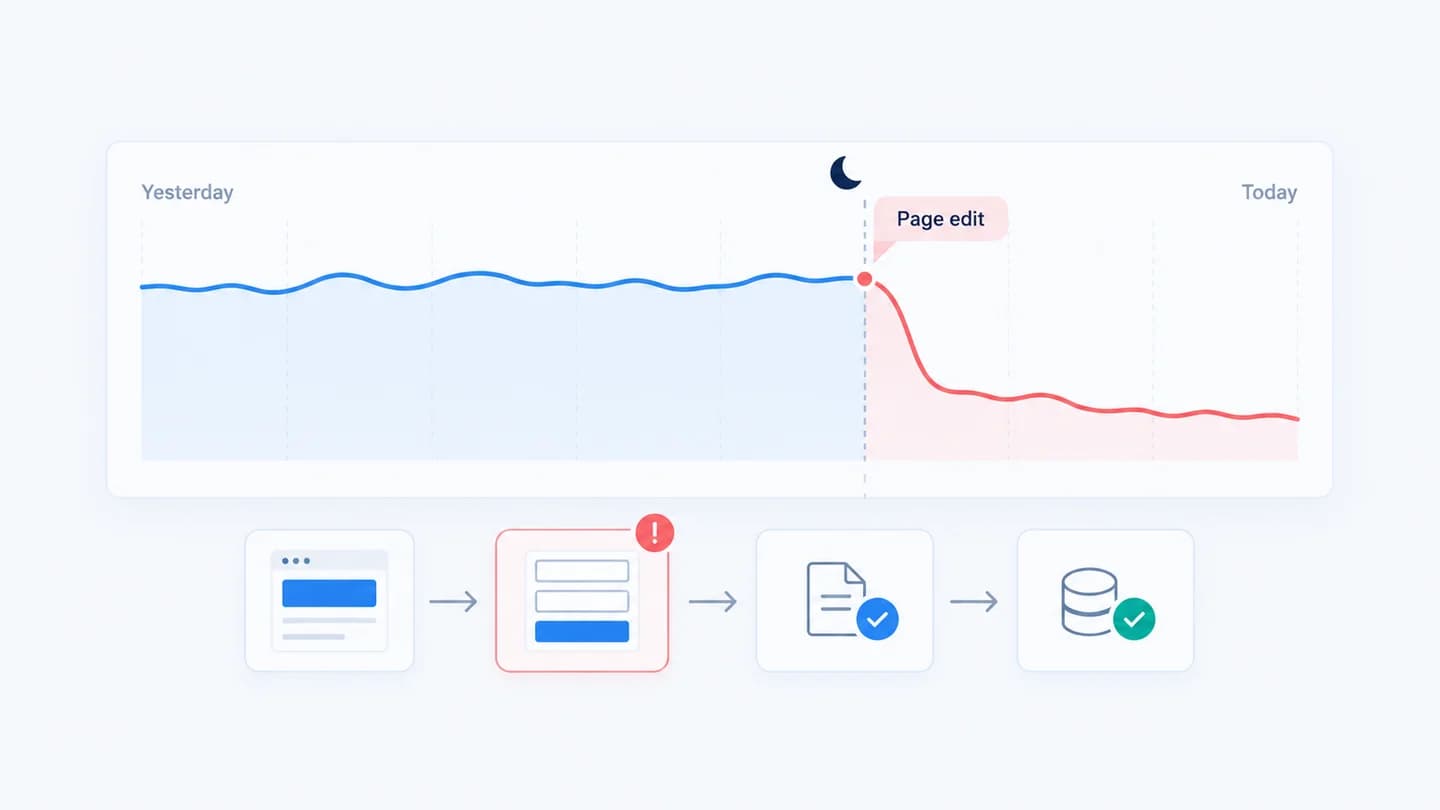
When a conversion rate drops overnight, it is rarely random. Something changed between yesterday and today, and the job is to find what. In practice the cause is almost always one of four things: a page or form change, an ad change, broken tracking, or a failed CRM handoff. Each one leaves a different fingerprint in the funnel, so the fastest route is to read the fingerprint before opening every dashboard you have.
Start by splitting the funnel
Before touching budgets or rebuilding a page, split the problem into stages: traffic, landing page, form, and CRM handoff. A drop lives in one of them, and knowing which one narrows the cause fast. This is the core of the why did my leads drop framework.
Pull four numbers for the bad day and for the same weekday one week earlier:
- Visits to the landing page (sessions, not ad clicks).
- Form views, meaning visits where the form was actually seen or started.
- Form submits, counted by the form tool itself if you can, not only by analytics.
- Leads in the CRM created from that form.
Then compute the step rates between them: form views ÷ visits, submits ÷ form views, and CRM leads ÷ submits. The overall conversion rate is just these steps multiplied together, so whichever step moved is carrying the drop. Submits ÷ form views is your form submit rate, and it is the step that breaks overnight most often.
The usual overnight causes
- A page change shipped. A new required field, a moved form, a heavier hero image, or a broken submit button can each cut conversion the moment it goes live. Page changes are often made by someone outside the marketing team, such as a developer, a CMS editor, or a plugin auto update, which is why they are easy to miss.
- An ad change landed. A budget cut or targeting edit changes who arrives and how many. Fewer of the right visitors means fewer conversions. A changed final URL or a broken UTM can also send paid traffic to the wrong page without touching delivery at all.
- Tracking broke. If an analytics tag stops firing, conversions look like they dropped even when they didn't. Common triggers are a tag manager publish, a consent banner update, or a thank you page that was renamed so the conversion trigger no longer matches.
- A CRM handoff failed. Leads submit fine but never reach the CRM, so the number looks down downstream. Expired integration tokens, a renamed required property, or a new workflow filter are the usual suspects. See CRM handoff for what this step involves.
Rule out a false alarm first
Not every overnight dip is an incident. Before you escalate, check these common misreads:
- Low volume. A page that gets 300 visits a day at 3% produces about 9 conversions. A day with 5 is well within normal noise. If you average fewer than 20 conversions a day, compare a three day window rather than a single day.
- Day of week. Comparing a Sunday to a Tuesday will show a "drop" every week. Always compare like for like.
- Reporting lag. GA4 can take up to a day or two to finish processing, and ad platforms report conversions against the click date, so the most recent days fill in over time. Yesterday often looks worse than it will in 48 hours.
- A bigger denominator. If the conversion rate fell but the count of conversions did not, visits went up. A bot spike, a viral social post, or a broad new campaign can dilute the rate without anything breaking.
- Time zone mismatch. If the ad account, GA4 property and CRM sit in different time zones, a "day" means different hours in each tool and the numbers will not line up.
How to confirm it quickly
Compare the two periods stage by stage. If visits held but form submits fell, the issue is on the page or in tracking. If visits fell too, look upstream at traffic and ads. The free conversion drop diagnostic does this split for you in a minute. Then check the tools in this order:
- The page. Open it on a phone and on desktop, fill in the form, and submit a test lead. Confirm the thank you state appears. This one step catches most overnight breaks.
- GA4. In Reports, open Engagement and then Events, and compare your lead event count for the two days. Use DebugView or Realtime while you submit the test lead to confirm the event still fires. Add device as a dimension, since many breaks affect only mobile.
- Google Ads. Open Change history for the last 48 hours, check campaign status for budget limits or disapproved ads, and look at the conversion action status in the Conversions summary.
- Meta Ads Manager. Check the account's activity history for edits, the delivery column for ad sets in learning or rejected, and Events Manager for a change in Lead event volume.
- The CRM. Search for your test lead. If it is missing while the form tool shows the submission, the handoff is the problem, not the page.
What each pattern usually means
| What you see | Most likely area | Check first |
|---|---|---|
| Visits down, step rates flat | Traffic or ad delivery | Ad account change history |
| Visits flat, form views down | Page layout, speed or redirect | Recent page edits, mobile render |
| Form views flat, submits down | Form, validation or tracking | A test submission |
| Form tool submits flat, CRM leads down | Handoff | CRM integration and workflows |
| Visits up sharply, conversions flat | Low quality or bot traffic | Source and medium breakdown |
| One source down hard, others flat | That source's ads or landing variant | Changes in that one account |
Example
Illustrative scenario. Yesterday a landing page converted at 4.8%; today it is 3.0%. Traffic is flat, but form submits are down, pointing at a page or form change, not the campaign. The fix is to diff the page around the time the drop started.
Here are the numbers behind it. Tuesday: 1,850 visits, 1,320 form views, 89 submits. Wednesday: 1,880 visits, 1,300 form views, 56 submits. Form views ÷ visits barely moved (71% to 69%), but submits ÷ form views fell from 6.7% to 4.3%. That isolates the form. The deploy log shows a change at 6:40 pm on Tuesday that made a "company size" dropdown required. A test on an iPhone shows the dropdown opens behind the sticky footer, so many mobile visitors cannot complete it. Making the field optional restores the submit rate the next day. This is a textbook case of form views stable, submits dropped.
How long to wait before acting
- Act immediately if a test submission fails, the thank you page errors, or a tag is clearly missing. Every hour costs real leads.
- Fix the same day when a specific change lines up with the moment a specific step dropped. Revert first, investigate after.
- Wait two to three days if you found no change and volume is low. Compare matching weekdays before you change anything.
- Give ad changes time. A large budget or targeting edit on Meta can put an ad set back into learning, and results are often unstable for several days. See learning phase vs a real performance drop before reverting.
How Quarkad helps
Quarkad monitors visits, form views, submits and conversion rate against a baseline, and tracks ad, landing page and form changes alongside them. When a step drops, it raises an incident with the evidence and the likely cause, so you skip the overnight guesswork.
Related
- Why did my leads drop?
- How to diagnose a sudden lead drop in 15 minutes
- Landing page conversion drop
- Free conversion drop diagnostic
FAQ
Can one small change really drop conversion overnight? Yes. A single new required field or a broken tag is enough to move the rate measurably.
Where should I look first? At what changed most recently, the newest deploy or campaign edit around the time the rate fell.
My conversion rate dropped but the number of conversions did not. Is something broken? Probably not. Visits went up, so the same number of conversions is spread over more sessions. Check source and medium for a traffic spike, and filter out obvious bot traffic before judging the page.
Could it just be GA4 data delay? It can. Recent days in GA4 and in ad platforms are often incomplete. Compare against the form tool or CRM, which count submissions as they happen, and recheck the analytics numbers after 48 hours.
Should I pause campaigns while I investigate? Only if a stage is fully broken, for example the form cannot be submitted at all. Otherwise pausing resets delivery and adds a second change to untangle later.