Form Views Are Stable But Submits Dropped: What It Means
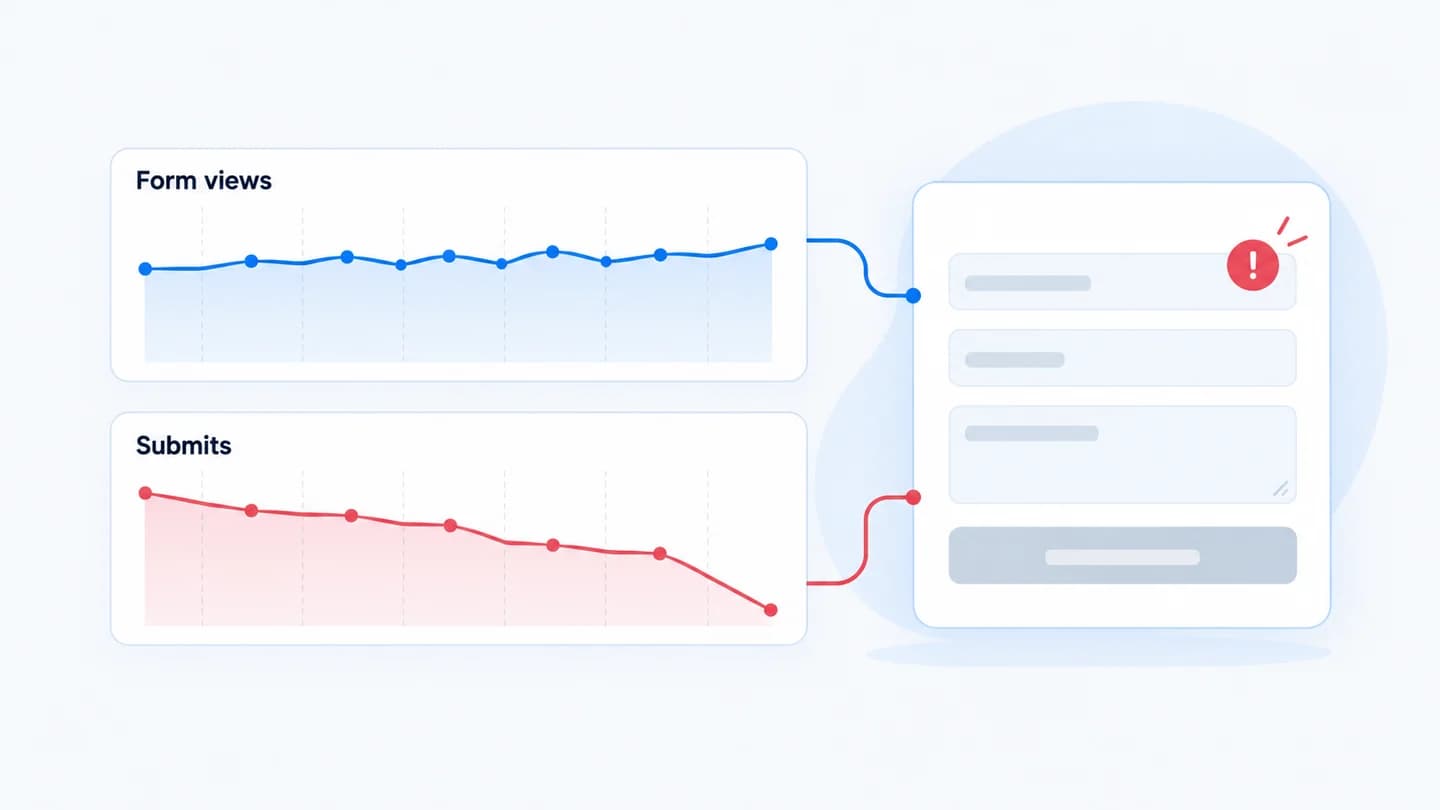
If form views held steady and submits fell, you've already eliminated most of the funnel. Traffic arrived, the page rendered, people reached the form, and then something between reaching the form and completing it changed. The problem is one step wide.
What this pattern rules out
- Not traffic. The same number of people got to the form.
- Not the ads. Delivery brought people through. The paid equivalent of this pattern is Meta Ads clicks stay stable but leads drop.
- Not the top of the page. Headline, hero, and offer got people to scroll.
What's left is the form, the submission path, or the tracking of the submission.
One caveat: "form views" has to mean the same thing in both periods. If someone changed how the view event fires (on page load instead of when the form scrolls into view, for example), the stable number may be hiding a real change higher up. Check that the definition didn't move before trusting the pattern.
The likely causes, in order
- A field changed. A new required field, stricter validation, or a reordered form. See required phone fields and form submit rate.
- Submission is failing. The endpoint errors, a spam filter or CAPTCHA is rejecting real people, or a script needed for submit isn't loading.
- An error is invisible. Validation fails on a field that's off-screen, so people retry once and leave.
- Device-specific breakage. It works on desktop and fails on one mobile browser. Check the split before assuming it's universal.
- The submit event stopped firing. People are still submitting; you just stopped counting them. Check whether leads are still landing in the CRM.
- The handoff broke after submit. The form works, the lead never reaches the CRM. That's a CRM handoff problem, and sales notices before the dashboard does.
Causes 5 and 6 matter most because they look identical to a real conversion drop and require the opposite response.
Read the shape of the drop
How submits fell tells you a lot before you open the page.
| Shape of the drop | Most likely cause | First check |
|---|---|---|
| Near zero, overnight | Submission failing or submit event broken | Submit the form and watch the network tab |
| Cut by a fixed share, overnight | New field, stricter validation, or one browser broken | Form change history, device and browser split |
| Gradual slide over weeks | Offer, audience or lead quality shift, not a form bug | Traffic source mix and qualified leads |
| Only one device or browser | Script, layout, or in-app browser issue | Real-device test from an ad click |
| Submits down, CRM leads unchanged | Tracking broke | Tag manager and GA4 event history |
| Submits unchanged, CRM leads down | Handoff broke | Form-to-CRM integration logs |
A sharp, step-shaped drop almost always has a single cause that shipped at a specific time. A slow slide rarely does.
How to confirm in ten minutes
- Submit the form yourself, on mobile and desktop, with a real address. Does it succeed? Does the lead appear in the CRM?
- Compare submit rate before and after with the form submit rate calculator so you know the size of the move.
- Check the form's change history for the day submits fell.
- Split by device and browser before concluding it's the form for everyone.
Going deeper: confirming the cause step by step
If the ten-minute check doesn't make it obvious, work through the submission path in order.
- Browser console. Open the page with dev tools open and fill the form. Any red JavaScript error on load or on submit is a strong lead, especially one from a script added recently.
- Network tab. Click submit and find the request. A 4xx or 5xx response, a request blocked by an extension or content security policy, or no request at all each point at a different fix.
- Validation behaviour. Try inputs real people use: an email with a plus sign or a subdomain, a name with an accent or apostrophe, a phone number with a country code. Note which ones the form rejects and whether the error is visible without scrolling.
- Spam protection. If a CAPTCHA or bot filter changed, test from a normal browser session on mobile data. Aggressive settings can score real visitors as bots.
- Consent banner. Test as a first-time visitor in a private window. If the submit tag or the form script only loads after consent, people who ignore the banner may be able to fill the form but not send it, or may send it without being counted.
- Event tracking. In GA4 DebugView or tag manager preview, confirm the submit event fires once, on success, and not on the click. A trigger that moved from "form submission" to "button click" can double count or undercount.
- The CRM. Find your test lead in the CRM and check the fields mapped correctly. Then compare CRM lead counts across the same two periods.
Example
Illustrative scenario. Form views were flat, submits fell by half, and the CRM showed the same halved number, so the leads really were lost, not just untracked. The form had gained a stricter email validation rule that rejected addresses with a plus sign. Real people, real intent, silently blocked.
With illustrative numbers: 1,400 form views a week before and 1,380 after. Submits went from 112 to 56, so form submit rate fell from 8% to about 4%. CRM leads went from 108 to 54. Because the CRM fell in step with submits, tracking was ruled out within minutes, and the investigation went straight to the form.
Common misreads
- "Submit rate halved, so the form is broken." Check whether the view count changed definition, or whether bots are now inflating views. A bot surge can make submit rate fall with nothing wrong on the form.
- "It's fine on my machine." Your browser has autofill, saved consent and a fast connection. Test as a new visitor on a phone.
- "The CRM is down, so the form is fine." If submits fell too, both may have changed. Look at each stage separately.
- "It started Monday, so it's the weekend deploy." Line the drop up by hour against the actual change times. The nearest change in time is a suspect, not a verdict.
Rolling back safely
If a specific form change is the suspect, revert that one change and note the time. Avoid reverting the whole page or form at once: you'll get conversions back but lose the evidence of which change caused it. Then watch submit rate at the same stage until it returns to its usual range, and confirm the CRM count recovers with it.
How Quarkad helps
Quarkad tracks each funnel stage separately (landing view, form view, form submit, CRM handoff), so a submit-stage drop is identified as a submit-stage drop, not a generic "leads are down." It then shows the form and page changes that landed just before it, such as fields added or removed, which is usually where the answer is. See landing page conversion drop.
Related
- Landing page conversion drop
- How a small landing page change can kill conversions
- Leads submitted but missing in HubSpot? What to check
- Form submit rate calculator
- Marketing incident report template
- Mobile landing page issues that reduce lead volume
FAQ
How do I tell a real drop from a tracking break? Compare against a system further down the chain, such as the CRM or the inbox. If leads are still arriving there, the drop is in your measurement, not your funnel.
Could bot traffic explain stable views? It can inflate views and make submit rate look worse than it is. Check whether the view count's source mix changed too.
What if the drop is only on one browser? Treat it as a script or compatibility issue first. Test that exact browser on a real device, including in-app browsers from Meta or LinkedIn, and check the console for errors.
Should I add form field analytics? If your form tool supports field-level drop-off or error reporting, it turns "submits fell" into "people abandon at the phone field," which is much faster to act on.
How big a drop is worth investigating? Compare it against the form's normal week-to-week range. A move well outside that range, sustained for more than a day, is worth a look; a small dip on low volume usually isn't.