How Budget Changes Affect Lead Volume in Meta Ads
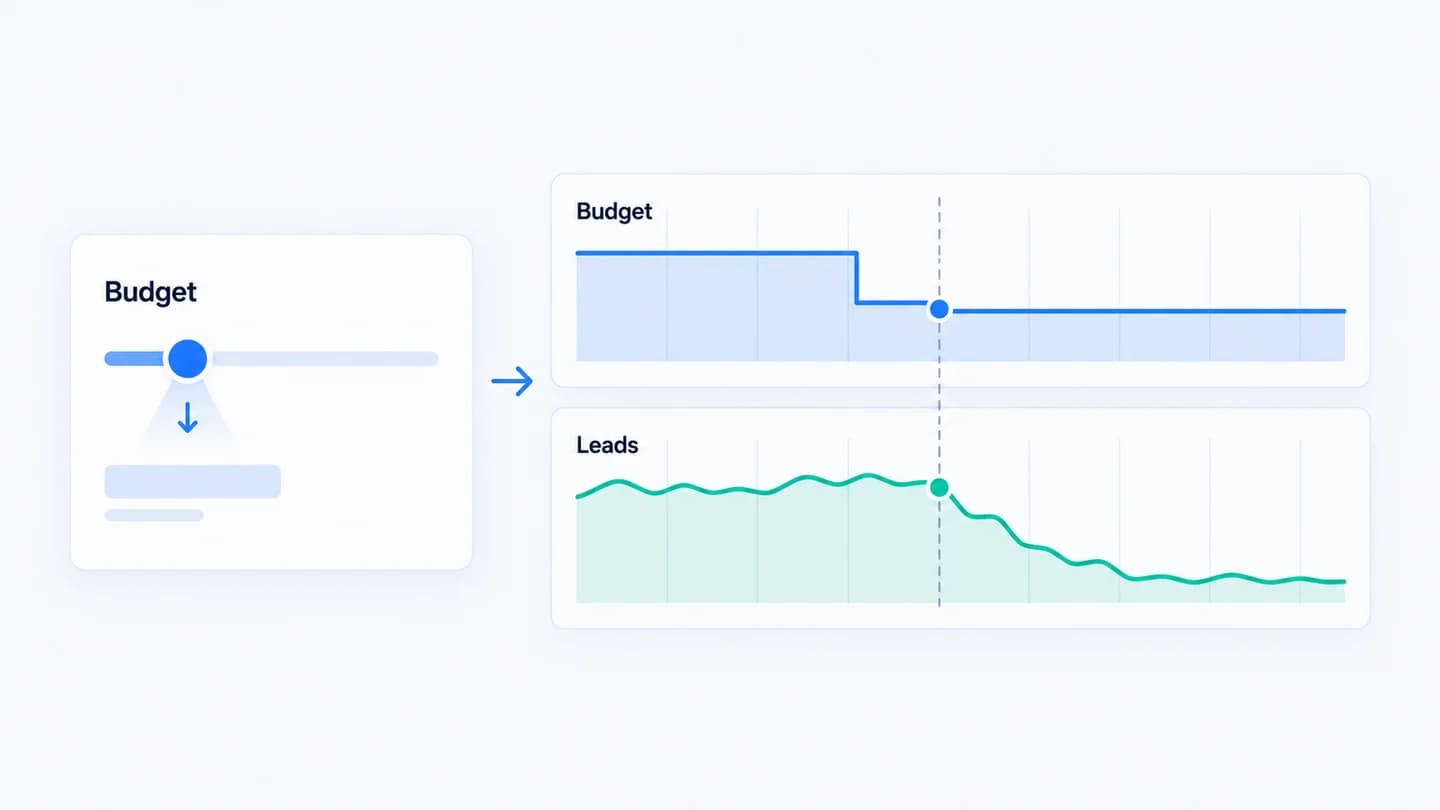
Changing a Meta Ads budget rarely moves leads by the exact same percentage. Delivery, auction dynamics, and the learning phase all sit between the number you set and the leads you get. Knowing what happens in between lets you change budgets on purpose and explain the result to a client without guessing.
A cut is not proportional
Cutting budget 30% doesn't reliably cut leads 30%. Meta reallocates delivery, often dropping the cheapest efficient placements last, so lead volume can fall more, or less, than the budget did. Judge the change by leads and cost per lead, not by the budget slider.
The same is true in the other direction. When you raise budget, Meta has to find more people to show ads to, and the next people are usually more expensive to reach than the ones it was already winning. Some increases scale almost linearly for a while. Others hit a ceiling where extra spend buys mostly higher CPMs and repeat impressions. You only find out which by watching cost per lead after the change.
A big change resets learning
Large budget edits (a common rule of thumb is more than ~20% at once) can push a campaign back into the learning phase, where performance is unstable for a while. Meta does not publish one exact threshold, so treat 20% as a cautious habit, not a rule. A dip right after a budget change is often learning, not a real drop. See learning phase vs real performance drop.
Watch the Delivery column after an edit. If it shows Learning or Learning limited, the ad set is re-optimizing and early numbers are not a fair read.
Campaign budget vs ad set budget
Where the budget lives changes what an edit does.
- Ad set budgets. A change affects only that ad set. It is easier to read because the before and after compare the same audience and ads.
- Campaign budget (Advantage campaign budget, formerly called CBO). Meta splits the campaign budget across ad sets as it sees fit. Raising it may send most of the new money to one ad set, and lowering it may starve a small ad set that was producing your best leads. After a campaign level change, check results by ad set, not only the campaign total.
The change is not instant
Delivery adjusts over hours to days. A budget raised this morning may not show its real lead volume until the system re-optimizes, so same-day comparisons mislead. Daily budgets are also averaged: Meta can spend more than the daily amount on some days and less on others, so a single high or low day after an edit is not proof of anything.
A worked example
Illustrative scenario, numbers are made up for the example. An ad set spends $200 a day at about $40 per lead, so roughly 5 leads a day. The account manager raises budget to $300 (+50%) on a Monday.
| Period | Daily spend | Leads per day | Cost per lead |
|---|---|---|---|
| Week before | $200 | 5.0 | $40 |
| Days 1 to 3 after | $300 | 5.5 | $55 |
| Days 4 to 10 after | $300 | 6.5 | $46 |
Spend rose 50% but leads rose about 30%, and cost per lead settled 15% higher. In the first three days it looked like a failure. By the second week it was an expensive but working increase. Two staged steps, for example $200 to $240, wait, then $240 to $290, would likely have kept learning stable and given a cleaner read at each step.
Now the reverse. A client asks to cut that same ad set from $200 to $100 (-50%). Leads fall from 5 to 2 a day, a 60% drop, because the ad set lost its most efficient delivery days and re-entered learning. When the client asks why leads fell more than budget, the answer is in the delivery mechanics, not in the landing page.
Where to look in Ads Manager after a budget edit
- Find the edit. Open the campaign or ad set and view its history. Ads Manager lists edits with the user and time. Confirm the old and new budget values and whether it was a daily or lifetime budget.
- Compare equal windows. Use the date picker's Compare option, with the same number of full days before and after the edit. Leave out the first day or two after the change if the ad set entered learning.
- Add the right columns. Amount spent, Results or Leads, Cost per result, CPM, Reach and Frequency. Rising CPM with flat leads means you are paying more for the same people. Rising frequency means the audience is getting saturated.
- Check the Delivery column. Note whether the ad set went into Learning or Learning limited, and when it left.
- Break down by ad set if it is a campaign budget, and by Placement if cost per lead moved sharply. New budget often flows to placements you were barely using before.
- Check Account Quality if delivery fell instead of rising. A spend drop that is bigger than the budget change can come from a rejected ad or an account restriction, not the edit.
Common misreads
- Blaming the budget for a page problem. If clicks went up with the budget but the share of clicks that became leads fell, the budget is not the cause. Check the landing page and form. See why Meta Ads clicks stay stable but leads drop for that split.
- Judging on day one. Delivery and attribution both need time. Recent days are under-reported because conversions are still being attributed within the attribution window.
- Ignoring other edits made at the same time. A budget change that went out with a new creative or audience is two changes. You cannot tell which moved the numbers.
- Comparing a lifetime budget with a daily budget. Lifetime budgets pace spend across the schedule, so daily spend can swing a lot by design.
How long to wait before acting
For a modest change, wait at least three to four full days before deciding it worked or did not. For a large change that put the ad set back into learning, judge it once the ad set has left learning, or after about a week if it stays in Learning limited. Act sooner only if something looks broken: spend continuing with near zero leads, or spend collapsing far beyond the budget cut.
How to change budget safely
- Move in smaller steps to avoid resetting learning.
- Change one thing at a time, so the result has one explanation.
- Compare cost per lead across a stable window, not hour to hour.
- Log the change, with the old value, the new value and the reason, so you can line up any drop against it later.
- Tell the client what to expect before the change, not after. "Leads may be uneven for a few days" lands better as a forecast than as an excuse.
How Quarkad helps
Quarkad records Meta Ads budget, bid and status changes at campaign and ad set level and lines them up against your lead volume, so when leads move after a budget edit you see the connection instead of guessing. See Meta Ads monitoring.
Related
- Meta Ads leads dropped? What to check first
- Traffic drop vs conversion drop
- Meta Ads lead drop checker
- How to monitor Meta Ads changes for conversion drops
FAQ
Is there a safe budget change size? Smaller, staged changes are less likely to reset learning than one large jump, but always confirm against cost per lead over a stable window.
Why did leads drop more than my budget cut? Lower budget can push an ad set back into learning and remove its most efficient delivery, so volume falls faster than spend for a while. If it does not recover after learning ends, check the page and form too.
Why did a budget increase raise my cost per lead? Extra spend has to reach people who are harder or more expensive to win. Some cost per lead increase is normal when scaling. A sharp jump with flat leads usually means the audience is saturated.
Should I duplicate an ad set instead of raising its budget? It is one way to scale without editing a stable ad set, but the duplicate starts its own learning phase and competes with the original for the same audience. Test it on a small share of spend first.