Why Meta Ads Clicks Stay Stable But Leads Drop
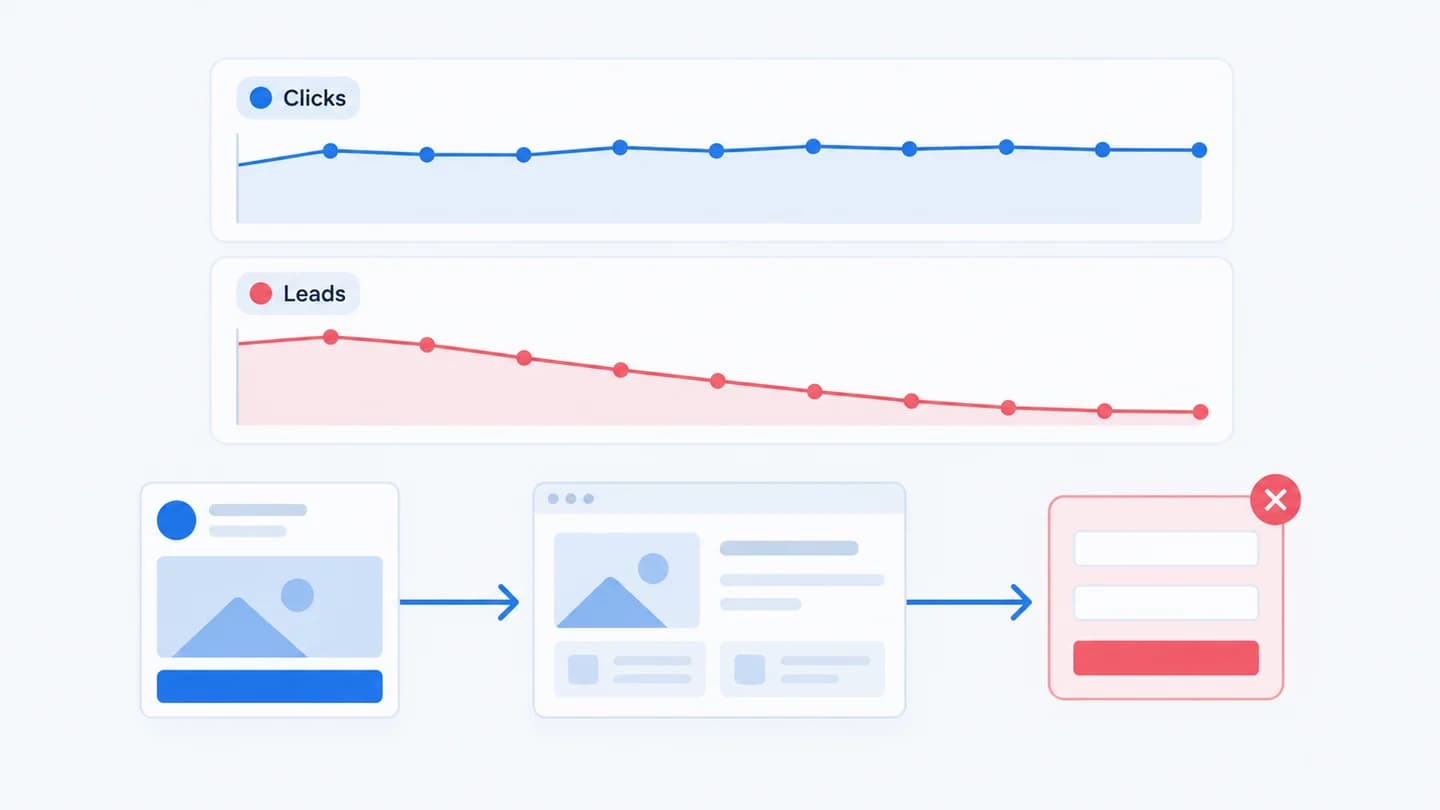
When Meta Ads clicks hold steady but leads fall, that pattern is a gift: it tells you exactly where not to look. The campaign is delivering clicks as before, so the break is after the click: on the landing page, in the form, in the handoff, or in tracking.
Why stable clicks matter
Clicks measure delivery. Meta is still sending the same volume of traffic. If those clicks convert less, the auction and targeting are probably not the problem, and chasing the campaign here wastes effort. This is the traffic vs conversion split from traffic drop vs conversion drop, applied to paid.
One caution before you start: make sure you are comparing the right click metric. "Clicks (all)" includes likes, profile clicks and expanding the text, so it can stay flat while real visits fall. Use Link clicks or Outbound clicks for this comparison, and add Landing page views next to them.
Where the break usually is
- Landing page changed. A new layout, slower load, or a broken element after the click.
- A form field changed. A new required field (phone is the classic) quietly cuts submit rate. See how a required phone field affects submit rate and the wider landing page conversion drop guide.
- Tracking broke. The lead event stopped firing, so leads look down even though people still submit.
- Click-to-landing mismatch. The ad promises one thing, the page shows another, and people bounce.
- The URL or URL parameters changed on the ad. A new destination, a typo in the link, or edited UTM tags can send traffic to an old page or strip the parameters your form uses to attribute the lead.
Where to look in Ads Manager, step by step
Do this before touching the site, so you know the drop is real and where it starts.
- Set two equal date ranges. Use the Compare option in the date picker, for example the last 7 days against the 7 days before. Avoid including today and yesterday as the only days in the newer range, because recent conversions are still being attributed.
- Customize columns. Add Link clicks, Outbound clicks, Landing page views, Leads (or your Results column), Cost per lead, CPM and Frequency. Save the set as a preset so you can reuse it.
- Check the click to landing view ratio. If link clicks are flat but landing page views fell, people click and leave before the page loads. That is a speed, redirect or broken URL problem, not a form problem.
- Break down by Delivery, then Placement and Device. A drop that only appears on mobile, or only in one placement, narrows the cause fast. A page that broke on mobile Safari will show up here.
- Break down by Time, then Day. Find the first day the lead rate fell. That date is what you will line up against changes.
- Open the history panel. On the campaign, ad set or ad, open the history view (Ads Manager shows edits made by each user with timestamps). Look for creative, link or URL parameter edits near the day the rate fell.
A worked example
Illustrative scenario, numbers are made up for the example. A lead gen account for a home services client compares two weeks:
| Metric | Week 1 | Week 2 | Change |
|---|---|---|---|
| Link clicks | 2,400 | 2,380 | -1% |
| Landing page views | 2,050 | 2,030 | -1% |
| Form views | 1,600 | 1,590 | -1% |
| Form submits | 160 | 104 | -35% |
| Leads in Ads Manager | 150 | 98 | -35% |
Every stage before the form holds. Submits fall by the same share as reported leads, so the event is still firing for the submits that do happen. The break is inside the form step. The history panel shows no campaign edits that week, but the site team confirms a new form version went live on day 2 of week 2 with a required phone field and a second step. The fix is on the page, and any campaign edit would only have reset learning for nothing. For this pattern on the page side, see form views stable but submits dropped.
Now the same table with one difference: form submits hold at 160, but Leads in Ads Manager fall to 98. That is a tracking break, not a lost-lead problem. Same clicks, same symptom in Ads Manager, completely different fix.
How to separate a form problem from a tracking problem
Both look identical in Ads Manager: fewer leads from the same clicks. One test splits them. Submit a test lead yourself and check two places, the form tool or CRM where the lead lands, and the Meta Events Manager entry for your lead event.
- The lead arrives but no event fires. Tracking broke. Real leads are probably still coming in, and the drop is in reporting. The bigger risk is that Meta now optimizes on fewer reported conversions, which can hurt delivery over the following days.
- The lead does not arrive at all. The form or the handoff broke. Real leads are being lost, so this is the urgent case. If the form submits but the record never reaches HubSpot, see leads submitted but missing in HubSpot.
- Both arrive normally. The break is on the page itself. Check load time on mobile, the above the fold layout, and whether the offer still matches the ad.
In Events Manager, the Test events tool shows whether your browser sends the lead event in real time, and the event's overview shows whether volume dropped on a specific day. If you send events through both the pixel and the Conversions API, check that both sources still report and that deduplication has not changed.
If you use Meta instant forms
With instant forms the form lives inside Meta, so "clicks stable, leads down" means something different. The page and site form are out of the picture. Look at the form itself (a new question, a higher intent setting, a changed privacy step), at the open rate versus completion rate, and at the sync to your CRM. A broken CRM integration can make leads look down in your CRM while Ads Manager still counts them.
Common false alarms
- Attribution lag. The last one or two days often look low because conversions are still being attributed. Compare closed periods.
- An attribution setting change. If someone switched the attribution setting on the ad set, reported leads can drop with no change in real submits. Use the Compare attribution settings option in columns to check.
- A seasonal dip in intent. Holidays and weekends can lower conversion rate for some verticals while clicks hold. Compare to the same weekday pattern before calling it a break.
How long to wait before acting
If submits on your own site dropped and a page or form change lines up, act the same day: lost leads do not come back. If only the Ads Manager number dropped and your site and CRM show normal volume, you have time to fix tracking calmly, but fix it within a few days so optimization is not trained on bad data. If nothing on the site or in tracking changed, give the numbers two or three full days before deciding it is a click quality problem.
What to check next
If the page, form, and tracking all pass, look at click quality. Compare placements and audiences for the two periods. A shift toward placements with accidental clicks can keep click counts flat while real intent falls. The Meta Ads lead drop checker walks through the same split in a few questions.
How Quarkad helps
Quarkad watches the funnel after the Meta click (visits, form views, submits and the HubSpot handoff) against a baseline and records Meta ad changes such as creative and URL edits, so when clicks hold but leads fall it shows which step broke and which change lines up with it.
Related
FAQ
Could stable clicks still hide a campaign problem? Rarely, when click quality changes but volume doesn't. Check whether the audience or placements changed, but start with the page and tracking.
Is a click to landing view gap a warning sign? Yes. If clicks hold but landing page views fall, people are clicking and leaving before the page loads. That points at page speed or a broken redirect, not the form.
Should I pause the campaign while I investigate? Usually not. If clicks are healthy, pausing only loses traffic and can disturb delivery. Pause only if the page is fully broken and every click is wasted spend.
Why do Ads Manager leads and CRM leads disagree? They count different things. Ads Manager reports attributed conversion events within the attribution window, while the CRM counts records that arrived. A gap that suddenly widens is the signal to investigate, not the gap itself.