Traffic Drop vs Conversion Drop: How to Tell the Difference
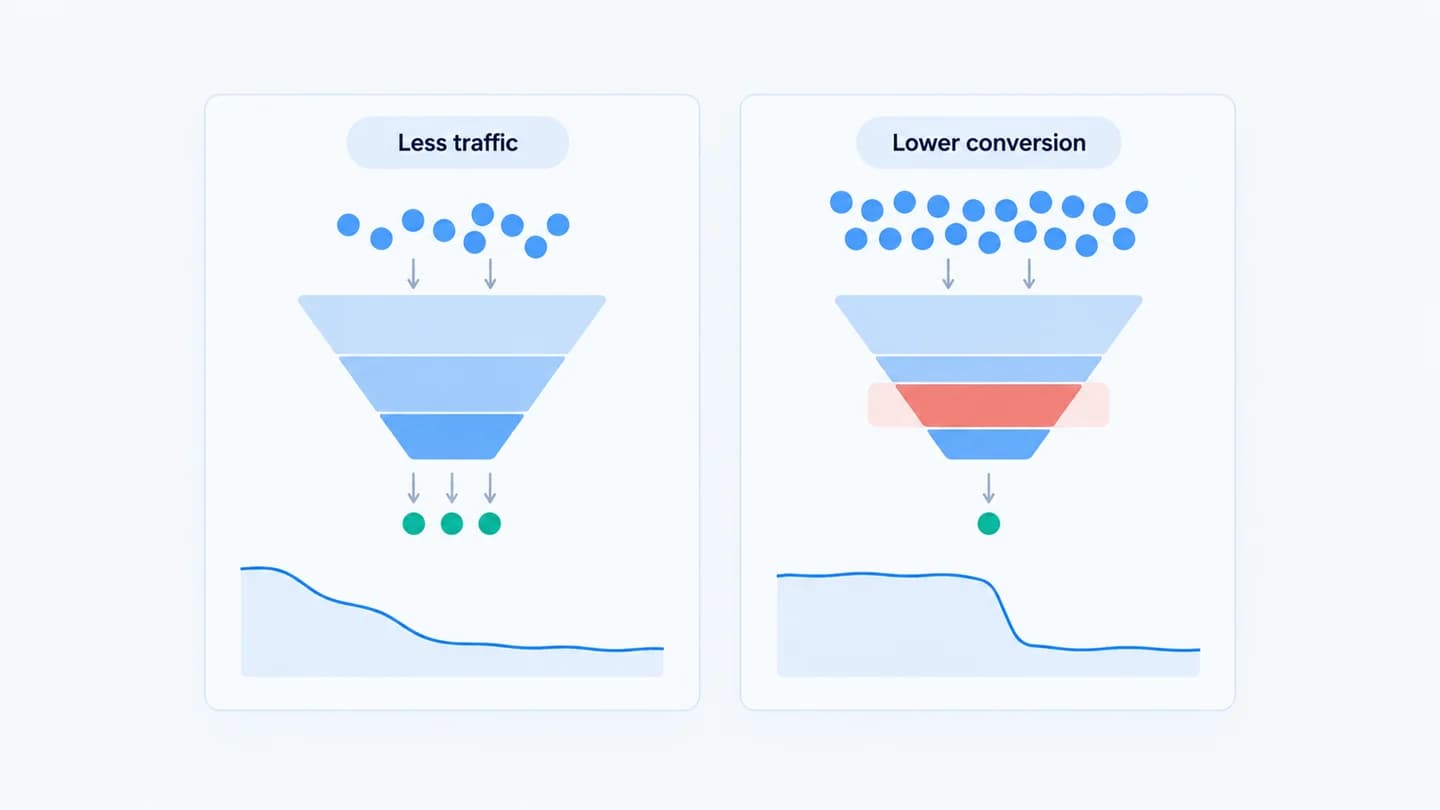
"Leads are down" has two very different causes: fewer people arrived (a traffic drop), or the same people converted less (a conversion drop). They point at opposite fixes, so telling them apart is the first move.
The one number that decides it
Look at visits. If visits fell, you have a traffic drop: the issue is upstream in ads, delivery, or your traffic sources. If visits held but leads fell, you have a conversion drop: the issue is on the page, in the form, or in tracking.
The relationship is simple: leads = visits × conversion rate. Every lead drop is a fall in one of those two terms, or both. The point of the diagnosis is to find out which term moved and by how much.
Why it matters
Chase the wrong one and you waste effort: raising budgets won't fix a broken form, and rebuilding a page won't fix a paused campaign. Splitting traffic from conversion first is the theme of the why did my leads drop framework.
A quick check
Compute your conversion rate (leads ÷ visits) for both periods. If the rate is stable but leads fell, it's traffic. If the rate itself dropped, it's conversion. The conversion drop diagnostic computes this across stages for you.
"Stable" needs a definition. Rates wobble from day to day, especially on small accounts. Compare the same weekdays across two periods, and treat a change of a few tenths of a percentage point as noise unless it holds for several days. A rate that falls by a quarter or more of its usual value and stays there is a real conversion anomaly.
When both moved: how much is each to blame
Often both terms move at once. You can split the lead loss into a traffic part and a rate part with two lines of arithmetic:
- Traffic effect = (new visits − old visits) × old conversion rate.
- Rate effect = (new rate − old rate) × new visits.
The two effects add up to the total change in leads. Whichever is bigger is the problem to work on first.
Where each one usually comes from
Traffic drops tend to start outside your site: a campaign paused or hit its budget cap, a bid or targeting change narrowed delivery, a referral source stopped linking, or an ad was rejected. Your first stop is the ad account and its change history. A budget cut is the most common single cause, and how budget changes affect lead volume in Meta Ads covers why the effect is rarely proportional.
Conversion drops tend to start on your own properties: a page edit, a slower load, a broken redirect, a new required field, a validation error, or a tag that stopped firing. Your first stop is the page and form, and whatever was deployed to them recently. Mobile is a frequent culprit, since a layout that works on desktop can hide the form or submit button on a phone; see mobile landing page issues that reduce lead volume.
The traffic drop that is really a conversion problem
Ad clicks and landing page visits are not the same number. Some clicks never become a counted visit, and the gap between them is a useful early warning. Compare ad clicks in Google Ads or Meta Ads Manager with sessions from that same source in GA4.
The ratio is never 100%, but it is usually steady for a given account. If clicks held and sessions fell, people are still clicking but not arriving, or not being counted. Typical causes are a broken redirect, a final URL pointing to a dead page, a page so slow that visitors leave before the tag loads, or a consent banner change that stops analytics from recording visits. That looks like a traffic drop in GA4, but the ads are fine and the fix is on the site. Why Meta Ads clicks stay stable but leads drop goes deeper on this pattern.
Watch for mix shifts
A conversion rate can fall without anything breaking, if the traffic mix changes. When a campaign starts sending broader or colder visitors, total visits may hold while the share of people ready to convert falls. Split visits by source before you blame the page. If the rate dropped only for one source, the cause is that source.
Broken UTM parameters create a related trap. If a campaign's tags break, its visits get reported as direct or unassigned. Paid traffic then appears to fall while direct traffic rises, and the per source rates both look odd. Check that the total across all sources moved before you conclude that any one source dropped.
Decision guide
| Visits | Conversion rate | Diagnosis | Look at first |
|---|---|---|---|
| Down | Flat | Traffic drop | Ad change history, budgets, rejected ads |
| Flat | Down | Conversion drop | Page and form changes, test submit |
| Down | Down | Two problems, or a tracking issue | Click to session ratio, then each side |
| Flat | Down for one source only | Mix shift or source specific break | That source's ads and landing variant |
| Up sharply | Down, leads flat | Diluted rate, not a loss | Bot or low quality traffic |
Example
Illustrative scenario. Visits fell 40% and leads fell 40%. The conversion rate is unchanged, so this is a traffic problem. Look at spend and delivery, not the landing page.
Illustrative scenario. Visits held at about 2,000 a week, but leads went from 80 to 50. The conversion rate fell from 4% to 2.5%, so this is a conversion problem. Splitting by source shows the rate held for search traffic and fell only for paid social, which points at the paid social landing page variant.
Illustrative scenario, both moved. Visits went from 2,000 to 1,700 and the conversion rate from 4% to 3%, so leads fell from 80 to 51, a loss of 29. Traffic effect: 300 fewer visits × 4% = 12 leads. Rate effect: 1 point lower × 1,700 visits = 17 leads. Both are real, but the rate drop costs more, so the page and form get attention first while someone checks the ad account in parallel.
How long to wait before acting
A traffic drop from a paused campaign, a rejected ad or an exhausted budget can be confirmed in minutes and fixed the same day. A conversion drop with a clear matching change, such as a form edit on the day the rate fell, should be reverted quickly. A small rate dip with no matching change deserves two to three days of matching weekdays before anyone touches the page, because a premature edit adds a second variable to the diagnosis.
How Quarkad helps
Quarkad monitors visits, form views, submits and conversion rate against a baseline, alongside Google Ads and Meta Ads changes, so when leads drop it shows which side moved and which change lines up with it.
Related
FAQ
What if both traffic and rate dropped? Treat them as two incidents, an upstream delivery issue and a separate on page issue, and diagnose each.
Can broken tracking look like a traffic drop? Yes. If the analytics tag is missing from a page, visits to it disappear from reports. Check that the tag still loads before trusting a sudden fall in visits.
Should I compare ad clicks or GA4 sessions? Both. Use sessions for the conversion rate, since that is where the form lives, and watch the ratio of clicks to sessions as a check that visitors are actually arriving.
Is a seasonal dip a traffic drop? Usually, yes. Fewer people are searching or browsing, so visits fall while the rate holds. Compare against the same period last year, or against a typical recent week, before treating it as an incident.
Can a conversion drop be caused by the ads? Yes. A targeting change or new creative can bring in visitors who are less likely to convert. Visits hold, the rate falls, and the page itself is unchanged. That is a mix shift, and the fix belongs in the ad account.